

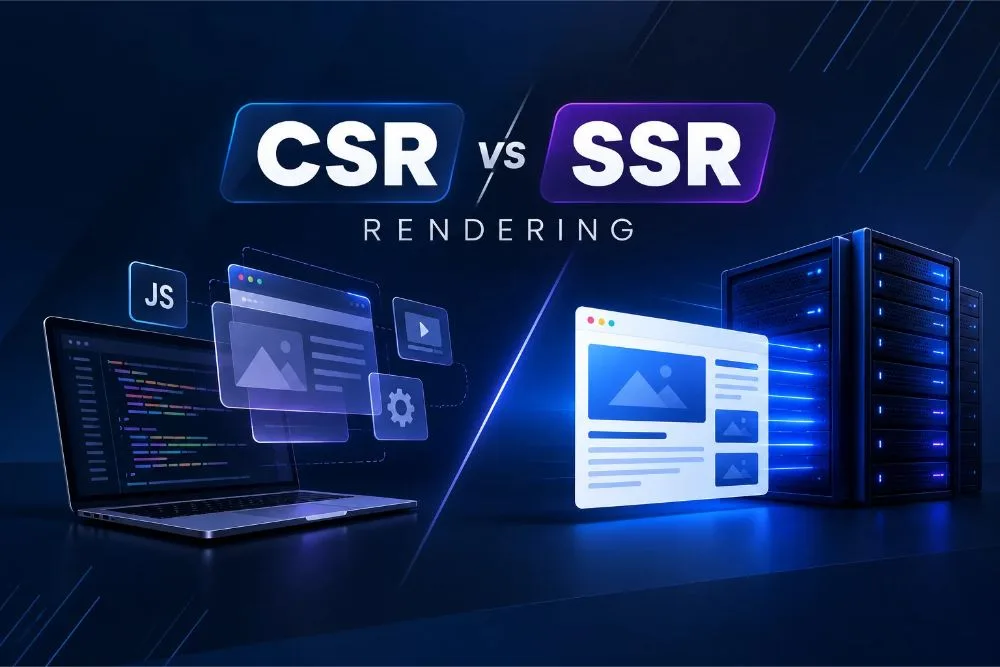
CSR vs SSR: How Website Rendering Affects Google Crawling and Indexing?
In today’s rapidly evolving digital world, understanding how your website is rendered can significantly impact its visibility and performance in search engines, particularly Google. Website rendering determines how your content is loaded and displayed to users and plays a critical role in how search engines crawl and index your pages. Choosing between Client-Side Rendering (CSR) and Server-Side Rendering (SSR) affects SEO, rendering techniques, and user experience.
Introduction to Website Rendering
Website rendering is the process of converting code into visual and interactive content that can be displayed in a web browser. Your rendering approach can significantly affect user experience, website speed, SEO performance, and the efficiency of search engine crawling and indexing. Rendered content allows users to navigate and interact seamlessly with your site, while search engines like Google rely on effective rendering to crawl, analyze, and rank websites accurately. Understanding how rendering techniques work is essential in optimizing your site for both user engagement and search engine visibility.
What is Client-Side Rendering?
Client-Side Rendering (CSR) is a website rendering method in which the browser uses JavaScript to modify raw data and convert it into the HTML needed to display content. In CSR, the server sends a skeleton HTML page along with the necessary JavaScript file. The browser then runs the script, which dynamically generates the complete webpage.
This technique utilizes the power of the client’s computer or device, making it a suitable choice for applications that require intensive client-side interaction and single-page applications (SPAs). JavaScript frameworks like React, Angular, or Vue.js are commonly used to enhance user experience, and they help manage page navigation, display dynamic content, and maintain application state without requiring a complete page reload.
Advantages and Challenges of CSR
Client-Side Rendering offers several advantages, especially when it comes to personalization and user engagement. By sending a basic page structure and loading content dynamically, you provide users with a seamless and responsive browsing experience. This approach minimizes server load since the server only delivers data as the client requests.
However, CSR comes with its own set of challenges, particularly in SEO performance. Search engines may struggle to crawl JavaScript content, impacting how your site appears in search results. Moreover, the initial page load time can be slower since JavaScript execution occurs on the client side.
Server-Side Rendering Overview
Server-Side Rendering (SSR) involves generating the complete HTML for a page on the server and delivering it to the client’s browser. This approach allows users to view the webpage content quickly, providing a faster initial load. With SSR, the server renders HTML for each page request, commonly using frameworks like Next.js for React, or Nuxt.js for Vue.js.
SSR is particularly beneficial for websites and pages that prioritize SEO, since it provides a complete, rendered HTML page that search engines can easily access and understand. This can enhance the speed at which Google crawls and indexes your content, leading to better search visibility.
Benefits of Server-Side Indexing
Server-Side Indexing offers numerous benefits that align closely with the goals of effective SEO strategies. By delivering pre-rendered content directly to users and search engines like Google, SSR ensures that your pages are fully indexable immediately upon loading.
Improved SEO
Since content is fully rendered on the server, search engines can crawl and index content faster and more efficiently.
Quicker Time-to-First-Byte (TTFB)
SSR reduces TTFB by delivering complete pages, improving the perceived performance and user experience.
Consistent User Experience
All users receive the same content irrespective of browser capabilities, ensuring consistency.
These benefits make SSR a better option for businesses focusing on SEO optimization.
How Rendering Techniques Affect SEO?
SEO optimization plays an important role in attracting organic traffic from search engines and improving your website’s visibility.CSR and SSR affect SEO differently due to how search engines crawl and index webpages.
In CSR, the reliance on JavaScript can hinder search engine crawlers, as they may struggle to execute scripts to access dynamically generated content, leading to issues with indexing of webpages.
In contrast, SSR provides full HTML content up front, making it easier for crawling and indexing, which positively impacts ranking potential. Additionally, SSR ensures metadata like titles, meta descriptions, and Open Graph tags are readily accessible to search engine bots, boosting your SEO performance.
Evaluating Crawling Efficiency: CSR vs. SSR
When comparing CSR and SSR, differences regarding crawling efficiency become particularly clear. SSR generally supports faster crawling because the full HTML is available upon loading, providing search engine crawlers with immediate access to all necessary information.
In contrast, CSR requires crawlers to execute JavaScript before accessing the full webpage content, which can result in incomplete indexing if JavaScript fails or if crawlers have limited resources for executing such scripts. This delay in rendering and the possibility of missing important information can hinder Google’s understanding and indexing of your site.
Ultimately, SSR enables higher crawling efficiency, making it a suitable choice for sites that prioritize SEO.
Understanding Google’s Approach to Rendering
Google’s website rendering and indexing process involves several stages to ensure that webpage content is properly accessed and understood. Google has invested heavily in improving its ability to crawl and index JavaScript-heavy pages, using Googlebot, which relies on the Chrome browser engine, to execute JavaScript and analyze the resulting HTML.
However, this approach has certain limitations. Search engine crawlers may encounter delays while processing JavaScript or issues executing complex scripts, leading to incomplete indexing of your content. Therefore, understanding Google’s rendering capabilities and limitations is essential for choosing the most appropriate rendering strategy.
Optimizing for Google’s rendering involves ensuring that your content, especially metadata, is easily accessible and cleanly executed, whether you’re using CSR or SSR.
Enhancing Your Website’s Google Visibility
Improving your website’s visibility on Google starts with choosing the right rendering technique. CSR or SSR each comes with its unique advantages and challenges regarding search visibility.
When using CSR, minimize unnecessary JavaScript that could delay rendering and ensure that important webpages are indexed efficiently. Use SSR or pre-rendering services to assist Googlebot in indexing your JavaScript-generated content.
When using SSR, focus on server performance to ensure quick response times, and make sure that the content is accessible even when JavaScript fails to execute on the client side. Utilize caching strategies to reduce server load and improve site speed, supporting your SEO performance.
Conclusion: Choosing the Right Rendering Approach
CSR and SSR each offer distinct advantages that are suited to different types of web applications and business goals.CSR is ideal for applications requiring frequent user interaction and client customization, but SEO may require additional optimization. On the other hand, SSR supports better search engine accessibility by delivering fully rendered HTML pages directly to the browser.
Your choice should align with your website’s objectives, user experience needs, and SEO requirements. By understanding the advantages and limitations of each rendering strategy and how they affect Google’s crawling and indexing process, you can make an appropriate decision that enhances search engine visibility and supports better overall website performance.
Frequently Asked Questions
1. What is the difference between CSR and SSR in website rendering?
Client-Side Rendering (CSR) relies on JavaScript in the user’s browser to generate and display webpage content, while Server-Side Rendering (SSR) generates HTML on the server before sending it to the browser. CSR is commonly used for dynamic web applications, whereas SSR is often preferred for content-focused websites that prioritise SEO and faster initial content display.
2. How does Client-Side Rendering (CSR) affect Google crawling and indexing?
CSR can make crawling and indexing more challenging because Googlebot must execute JavaScript to access dynamically generated content. Although Google supports JavaScript, complicated scripts, execution errors, or slow content loading may affect indexing efficiency.
3. Why is Server-Side Rendering (SSR) considered better for SEO?
SSR provides search engines with fully rendered HTML content, making important webpage information accessible without executing additional JavaScript. This can improve crawling efficiency, minimize rendering delays, and help Google process content more effectively.
4. Can Google crawl and index JavaScript-heavy websites?
Yes, Google can crawl and index JavaScript-heavy websites using its advanced rendering capabilities. Googlebot processes JavaScript to access dynamically generated content. However, processing may take additional time, and certain JavaScript errors can prevent content from being indexed correctly. Following JavaScript SEO best practices helps improve content accessibility to crawlers.
5. How do I choose between CSR and SSR for my website?
Choosing between CSR and SSR depends on your website’s purpose, features, and SEO requirements. CSR is suitable for applications that need frequent user interactions and regularly updated content. SSR is generally a better option for websites that prioritise search engine visibility and content accessibility. Combining both rendering methods can help achieve a balance between SEO performance and user experience.